

Wan 3.0 Prime Campaign Video
Sign In

Wan 3.0 Prime Campaign Video

Enter a campaign moment, choose framing, and generate a review draft.

CreditsCost

Wan 3.0 Video Prime

AI output preview

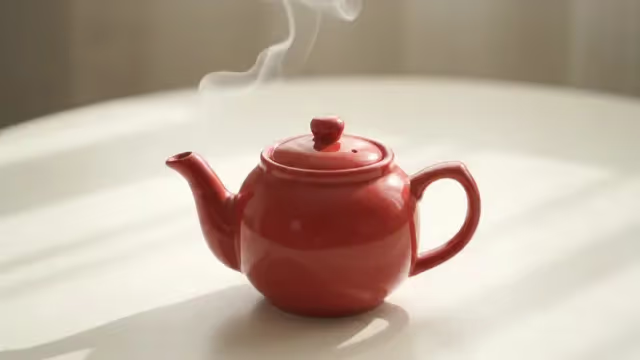
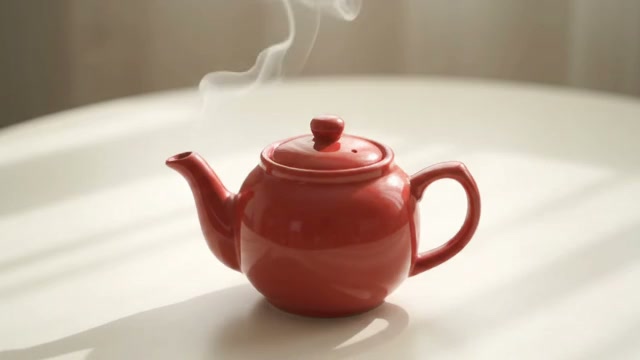
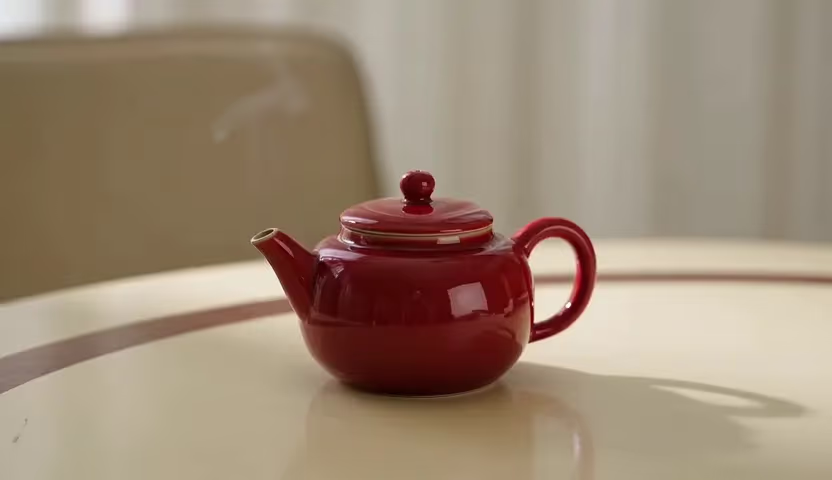
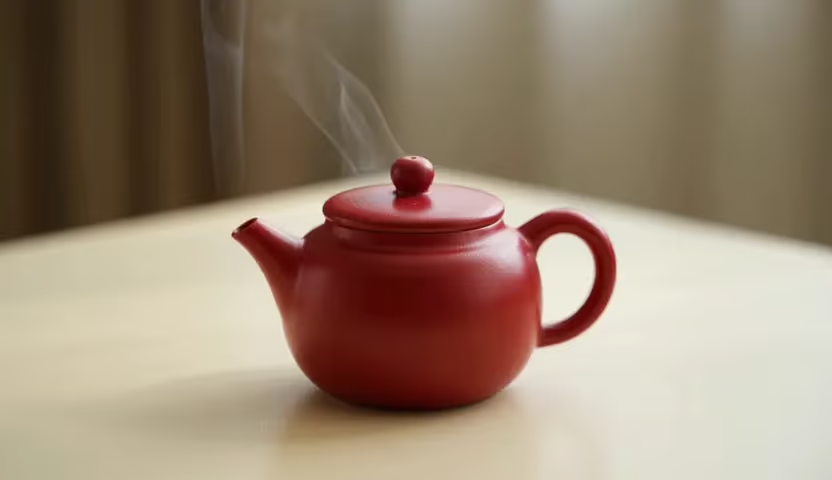
A small red ceramic teapot on a cream table, subtle steam drifting upward, fixed camera, soft daylight, no lettering.

Red ceramic teapot with subtle steam generated by Wan 3.0 Video Prime

Build Campaign Variants Around a Stable Brief

Wan 3.0 Prime on FluxKlein gives creative teams a distinct Wan variant for text-led and image-led video work. Use it to explore a product reveal, an atmospheric background, or a short campaign moment without changing the purpose of the brief on every attempt. The workflow is straightforward: define what the viewer must notice, choose the visual anchors, generate one coherent shot, and review the complete output. Prime is a model choice, not a guarantee of approval-ready brand accuracy.

Keep the Campaign Question Consistent

Treat Prime as a deliberate model choice within an agreed creative brief, with image direction and delivery settings that the review team can identify.

Keep the Variant Separate from the Creative Goal

Use Wan 3.0 Video Prime when that is the variant you intend to evaluate, and record it alongside the output. Both Wan options on these pages expose 2–30 second durations and 480P, 720P, or 1080P output. A fair creative review holds the brief and relevant settings steady while comparing the resulting clips. Do not infer a universal quality advantage or delivery-time guarantee from the Prime name. The useful outcome is a shot that supports the specific campaign.

Image Direction for Product-Led Scenes

Start with approved product imagery when the opening composition needs to be recognizable. A first frame can anchor the setup, while first and last frames can define a target close. Reference images can guide appearance or environment when the selected mode exposes those controls. Keep the sources compatible and explain their roles. Review product geometry, logos, surface details, and color after generation because image guidance is not a guarantee that every brand detail remains unchanged.

A Deliberate Draft Size

The initial settings use two seconds, 480P, landscape framing, and audio off. That small draft can help answer whether a motion direction is useful before the team requests a longer or larger output. Select another supported duration or resolution when the deliverable requires it, not simply because it is available. If the shot needs several actions or a spoken message, simplify the concept or give it appropriate time rather than compressing a full campaign into one crowded moment.

Build a Variant the Creative Team Can Explain

State the question behind this attempt, keep the input set coherent, and hand off the selected clip with its prompt and review notes.

1. Identify the One Campaign Question

Write the question that this variant is supposed to answer. Does a side-lit product read more clearly? Does a restrained push-in leave room for a headline? Does a small environmental movement create the intended mood? Name the product details that must remain intact and the finishing composition the editor needs. This keeps the review focused and prevents an attractive but off-brief result from quietly redefining the campaign.

2. Build a Compatible Input Set

Choose a clear first frame or a coherent pair of opening and closing frames. Make sure the images represent the same product version and a plausible scene. With image references, remove duplicates and conflicting art directions. State which visual details should stay stable and which should move. The workspace does not accept documents, website links, or video and audio references for these Wan routes, so translate the relevant brief into text and supported images.

3. Generate and Review the Whole Clip

Confirm the Prime model selection and intended output settings, then submit the shot. Open the completed video and inspect its beginning, middle, and end. The preview is a real Wan 3.0 Video Prime text-to-video result using a red teapot, two seconds at 480P, with audio off. It is evidence of that specific small scene. Your own product, materials, labels, and requested motion still need their own review.

4. Handoff with the Creative Context

Keep the selected model, exact prompt, visual inputs, and output together so another reviewer knows what was requested. Explain why the chosen take supports the brief and note any details that need correction in editing. Add exact captions and campaign typography in an appropriate editor rather than relying on generated lettering. For a multi-clip deliverable, assemble the approved shots separately and check continuity, pacing, and transitions in the finished sequence.

Campaign Briefs with One Controlled Change

The examples below are proposed prompt structures, not finished campaign assets. Replace their objects and settings while retaining a clear reason for each variation.

A Controlled Product Reveal

Try: A dark blue ceramic cup on a warm gray tabletop, the camera makes a very slow forward move, soft side light reveals the glaze, stable cup shape and handle, clean background, no lettering. The instruction separates camera movement from object movement. Review whether the handle stays attached, whether the rim changes shape, and whether the finishing frame leaves the intended space around the product. Reduce the move if geometry becomes difficult to assess.

Campaign Atmosphere without a New Product Claim

Try: An unbranded glass bottle beside a folded linen cloth; a soft breeze moves the cloth edge while the bottle stays still; bright diffused studio light, fixed camera, no text. This can explore mood without asking the model to demonstrate a functional benefit. Do not present generated behavior as proof of resistance, durability, or performance. Keep claims grounded in verified product information and review the visual implications as well as the wording.

A Matched Variant for Creative Review

Take an existing short Wan brief and change only the selected model to Prime while keeping compatible settings aligned. Write down the review criteria before watching: subject readability, background stability, action completion, and a useful end frame. The goal is to select a usable creative interpretation, not to declare a broad winner from one request. If the output differs, describe the observed difference in that clip rather than attributing it to an unmeasured performance claim.

Opening Moments, Motion Boards, and Variant Reviews

Prime can provide another interpretation of a planned campaign moment. Decide whether that interpretation earns a place in the edit by checking the actual result against the communication goal.

Campaign Opening Shots

Explore a clean opening moment that gives viewers a recognizable subject before editorial copy appears. Plan sufficient empty space and review the composition at the actual placement size. A scene that works as a full-width desktop banner may not survive a portrait crop. Create a deliberate composition for each placement when necessary, and keep the product's essential features away from player controls and text overlays.

Product Mood Boards with Motion

Add a moving study to a creative review when a still mood board cannot explain the intended rhythm. Keep the palette and object arrangement aligned with approved references, then use one simple movement to communicate atmosphere. Label these outputs as generated concept material within your review process. They can help a team discuss direction, but they should not replace product photography or verified footage when factual detail is the main requirement.

A Consistent Variant Review Process

Create a small set of purposeful variations instead of an unstructured pile of clips. Change one direction at a time, ask the same review questions, and keep the preferred settings documented. Prime and standard Wan can be evaluated as separate creative choices under the same brief. Choose the output that communicates clearly and passes your checks; do not promise that a particular variant always finishes faster or produces a better result.

Questions for a Wan Prime Creative Review

Resolve how this variant will be evaluated before the team chooses inputs, sound, and the length of its next campaign draft.

Does choosing Prime guarantee a better campaign take?

No. Prime is a separate Wan model choice, not a universal quality or turnaround guarantee. Define what the campaign needs to communicate before looking at a result. A quieter shot with a readable product may be more useful than a dramatic take that obscures it. Select the version that passes the brief's actual review criteria.

How can a team keep visual inputs consistent across variants?

Use the same authorized product version and a coherent set of visual directions. Prime accepts text-led scenes, image-to-video with an opening frame and optional closing frame, and image references in the appropriate mode. If you are comparing interpretations, keep compatible inputs and settings aligned. Still examine each file for shape, color, and composition changes rather than assuming reference guidance locks every detail.

Can Prime read the launch deck or reuse a campaign soundtrack?

This workspace does not take presentation files, documents, website URLs, video references, or audio references for the Wan Prime route. Summarize the relevant creative decision in text and supply supported images instead. There is no multishot instruction timeline here. Bring exact titles, licensed music, and separate approved shots together later in your normal editing workflow.

How long should an opening-hook experiment run?

Use the time needed for the viewer to recognize the subject and read its one movement. The starter is a two-second 480P landscape shot with 16:9 framing; Prime also offers 2–30 seconds and 720P or 1080P alongside 480P. Increase length only when the campaign beat needs it, and review the closing hold rather than assuming more seconds add value.

How should a sound-led variant be evaluated?

Audio is switched off in the page's default configuration. If a sound-led concept is part of the review, enable the audio control and describe the desired audible event. Check what was actually generated, including timing and distracting background content, then watch once muted. This distinguishes the visual hook from an effect that depends entirely on the soundtrack.

Does the Prime example prove a complete campaign workflow?

The example is narrower: Wan 3.0 Video Prime generated the displayed teapot scene from text at 480P for two seconds, with audio disabled. It provides a real motion sample, not evidence of every input mode or brand scenario. Campaign approval still needs review of your own product, intended message, safe space for editorial copy, and the exact frames that enter the final sequence.

Where do I confirm that the selected take used Prime?

Check that the workspace names Wan 3.0 Video Prime before you submit. For that request, the visible model selector is the source of truth, even if you arrived through another model page. Keep the model name from the finished task beside the chosen output; this avoids confusing Prime with a standard Wan comparison in the creative handoff.

Create a Wan 3.0 Prime Campaign Draft

Start with a stable product brief and a single movement. Keep the output, settings, and review notes together.